Particles🔗
Particle animations allow you to create complex shapes and effects in your world.
You can define these animations in the particles section of a quest package and use them later with actions like spawnparticles.
Structure🔗
This section shows a complete example with all possible configuration keys.
particles:
  complex_effect:
    type: REDSTONE #(1)!
    range: 32 #(2)!
    animation:
      duration: 10 #(3)!
      timeunit: SECONDS #(4)!
      batchsize: 5 #(5)!
      sampling:
        primary: 100 #(6)!
        secondary: 10 #(7)!
      order: BACKWARD #(8)!
      thread: false #(9)!
    shape:
      x: spiral_x #(10)!
      y: spiral_y
      z: spiral_z
      offset:
        x: 0.1 #(11)!
        y: 0.1
        z: 0.1
      count: 1 #(12)!
      extra: 0 #(13)!
    data: #(14)!
      color:
        r: 255
        g: 0
        b: 0
      size: 1
- type: The Bukkit Particle name.
- range: Maximum distance in blocks players can see the particles.
- duration: The total length of the animation or undefined (=0) to spawn everything instantly.
- timeunit: The unit for
duration(SECONDS,TICKS,MINUTES). - batchsize: How many points are calculated and spawned per tick/ste`p.
- primary: Number of samples for the
d1parameter. May never be less than 2. - secondary: Number of samples for the
d2parameter. May never be 1 or negative. - order: The execution order (
FORWARD,BACKWARD,INWARD,OUTWARD). - thread: Whether to use an own thread for calculation and spawning (default
false). Recommended for very complex effects. - x, y, z: The position relative to the origin.
- offset: The randomized spread of particles in each direction.
- count: The number of particles per point.
- extra: Type-specific extra data (e.g. speed).
- data: Additional settings for specific particle types.
Function Support
BetonQuest distinguishes between static settings and dynamic values that can be determined by Functions. Where a function is allowed, you can either provide a constant number (e.g., 5.0) or the name of a function (e.g., my_function).
| Section | Key | Function allowed? |
|---|---|---|
| - | type |
❌ |
| - | range |
✅ |
| animation | duration |
❌ |
| animation | timeunit |
❌ |
| animation | batchsize |
❌ |
| animation | sampling (primary & secondary) |
❌ |
| animation | order |
❌ |
| animation | thread |
❌ |
| shape | x, y, z |
✅ |
| shape | offset (x, y, z) |
✅ |
| shape | count |
✅ |
| shape | extra |
✅ |
| data | color (r, g, b) |
✅ |
| data | size |
✅ |
| data | transition (r, g, b) |
✅ |
| data | item |
❌ |
| data | block |
❌ |
| data | value |
✅ |
| data | vibration (time) |
✅ |
| data | vibration (unit) |
❌ |
| data | vibration (location / entity) |
❌ |
| data | duration |
✅ |
| data | duration_unit |
❌ |
| data | target |
❌ |
Animation & Sampling🔗
The animation system determines how and when particles appear. It is based on a sampling process where mathematical functions are used to calculate points in space and time.
Timing Parameters🔗
To understand the flow of the animation, three values are crucial:
- duration: The total length of the animation (in
timeunit). If this value is 0 or not defined, all particles are spawned simultaneously. - batchsize: Determines how many points are spawned per calculated time step.
- sampling: Defines the total number of points to be calculated.
- thread: If set to
true, the spawning of the particles is moved to an asynchronous thread. This prevents the main server thread from being overloaded by complex calculations and removes the minimal batch-delay of 1 tick.
Sampling Logic & Delta Values🔗
BetonQuest uses so-called "Delta Functions". When you use a Function in the particle settings, it is automatically passed one or two progress values:
- d1 (Primary): A value from
0.0to1.0. It represents the progress along theprimarysampling points. - d2 (Secondary): A second value from
0.0to1.0. It is only used ifsecondarysampling is defined (greater than 1).
| Sampling Type | Description | Use Case |
|---|---|---|
| Primary | The main loop of the animation. | Linear movements, simple shapes. |
| Secondary | A nested loop within each primary step. | Complex surfaces, volumes, or pulsing effects. |
Particle Data Variants🔗
Some particle types require specific configuration in the data section. If the type does not require data, the section can be omitted.
Dust Particles🔗
Used for particles that require color and size information. You can change the color and size over the course of the animation via functions.
type: REDSTONE
data:
  color:
    r: 255 #(1)!
    g: 0   #(2)!
    b: 0   #(3)!
  size: 0.5 #(4)!
- r: Red component (0-255).
- g: Green component (0-255).
- b: Blue component (0-255).
- size: The size of the particle.
Color Transition🔗
Used for particles that fade from one color to another.
type: DUST_COLOR_TRANSITION
data:
  color: #(1)!
    r: 255
    g: 0
    b: 0
  transition: #(2)!
    r: 0
    g: 0
    b: 255
  size: 1.0 #(3)!
- color: The starting color.
- transition: The target color to fade into.
- size: The size of the particle.
Blocks🔗
Used for particles that represent a block (e.g. for break effects).
type: BLOCK_DUST
data:
  block: "minecraft:stone" #(1)!
- block: The Bukkit BlockData string.
Items🔗
Used for particles that represent an item (e.g. for break effects).
type: ITEM_CRACK
data:
  item: "iron_sword" #(1)!
- item: An item defined in the
itemssection. See Items for more information.
Color Particles🔗
Requires Minecraft version 1.20.6 or above!
Used for particles that require a color but aren't dust.
type: ENTITY_EFFECT
data:
  color: #(1)!
    r: 255
    g: 255
    b: 0
- color: The color of the particle.
Numeric Data Particles🔗
Requires Minecraft version 1.20.6 or above!
Used for particles that require a single numeric value (integer or float).
type: SCULK_CHARGE
data:
  value: 2.0 #(1)!
- value: The numeric data value.
Vibration Particles🔗
Requires Minecraft version 1.20.6 or above!
Used for particles that travel from the origin to a target location or entity.
type: VIBRATION
data:
  vibration:
    time: 2 #(1)!
    unit: SECONDS #(2)!
    location: '100;64;100;world' #(3)!
    # entity: '550e8400-e29b-11d4-a716-446655440000' #(4)!
- time: The time it takes for the vibration to arrive at the target.
- unit: The time unit for
time. - location: The target location.
- entity: The target entity's UUID.
Trail Particles🔗
Requires Minecraft version 1.21.4 or above!
Used for particles that create a colored trail to a target location.
type: TRAIL
data:
  color: #(1)!
    r: 255
    g: 0
    b: 0
  duration: 20 #(2)!
  duration_unit: TICKS #(3)!
  target: "120;64;120;world" #(4)!
- color: The color of the trail.
- duration: The duration the trail takes to reach the target.
- duration_unit: The time unit for
duration. - target: The destination location.
Shape Examples🔗
Here are some examples of how to use mathematical functions to draw shapes.
Vertical Line🔗
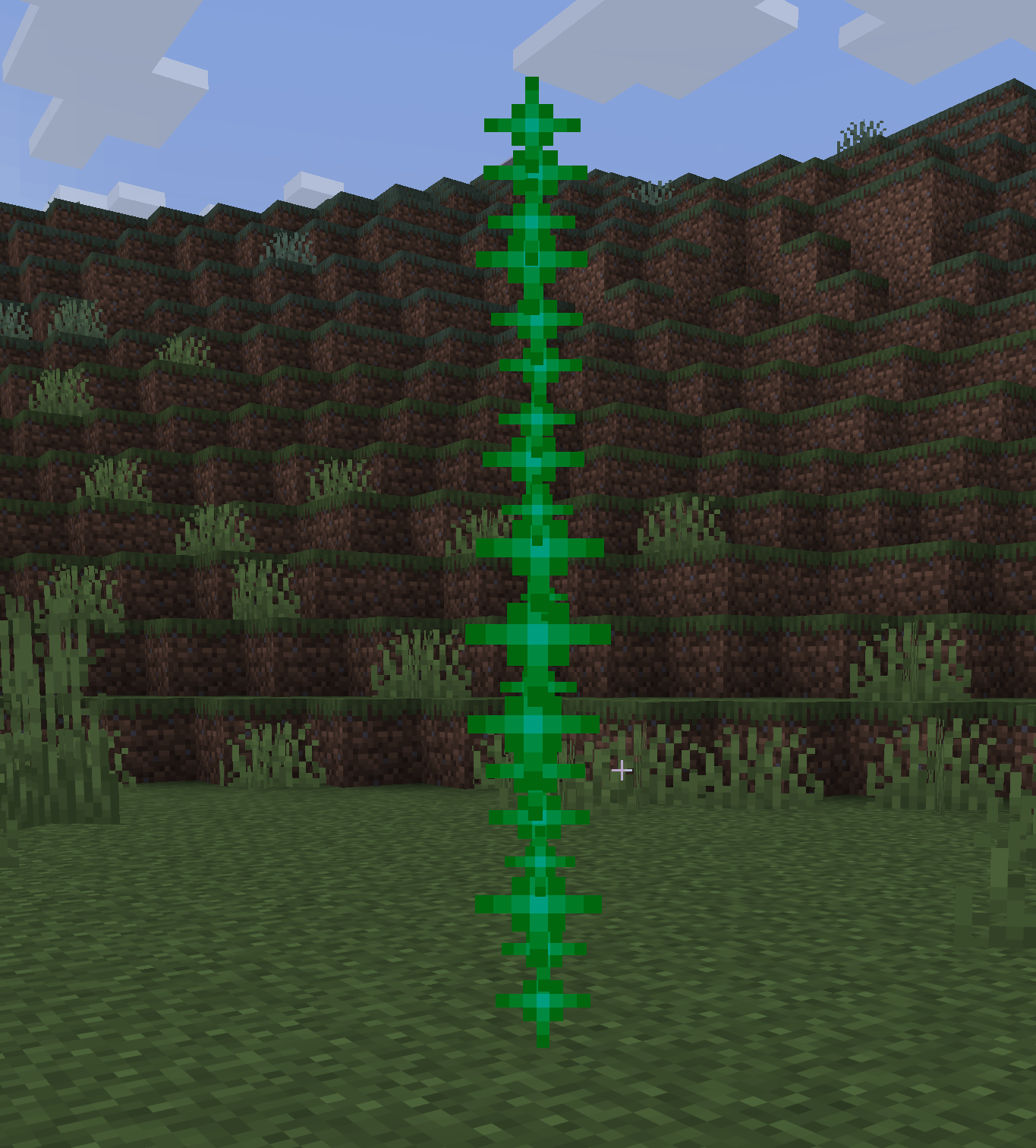
A simple line that rises from 0 to 2 blocks in height.
functions:
  line_func: 'f(d) = d * 2' #(1)!

particles:
  rising_line:
    type: HAPPY_VILLAGER
    animation:
      sampling:
        primary: 20 #(2)!
    shape:
      y: line_func #(3)!
- line_func:
d(d1) runs from 0 to 1. So the result is 0 to 2. - primary: 20 points are distributed evenly over the duration.
- y: The height is determined by the function.
Circle🔗
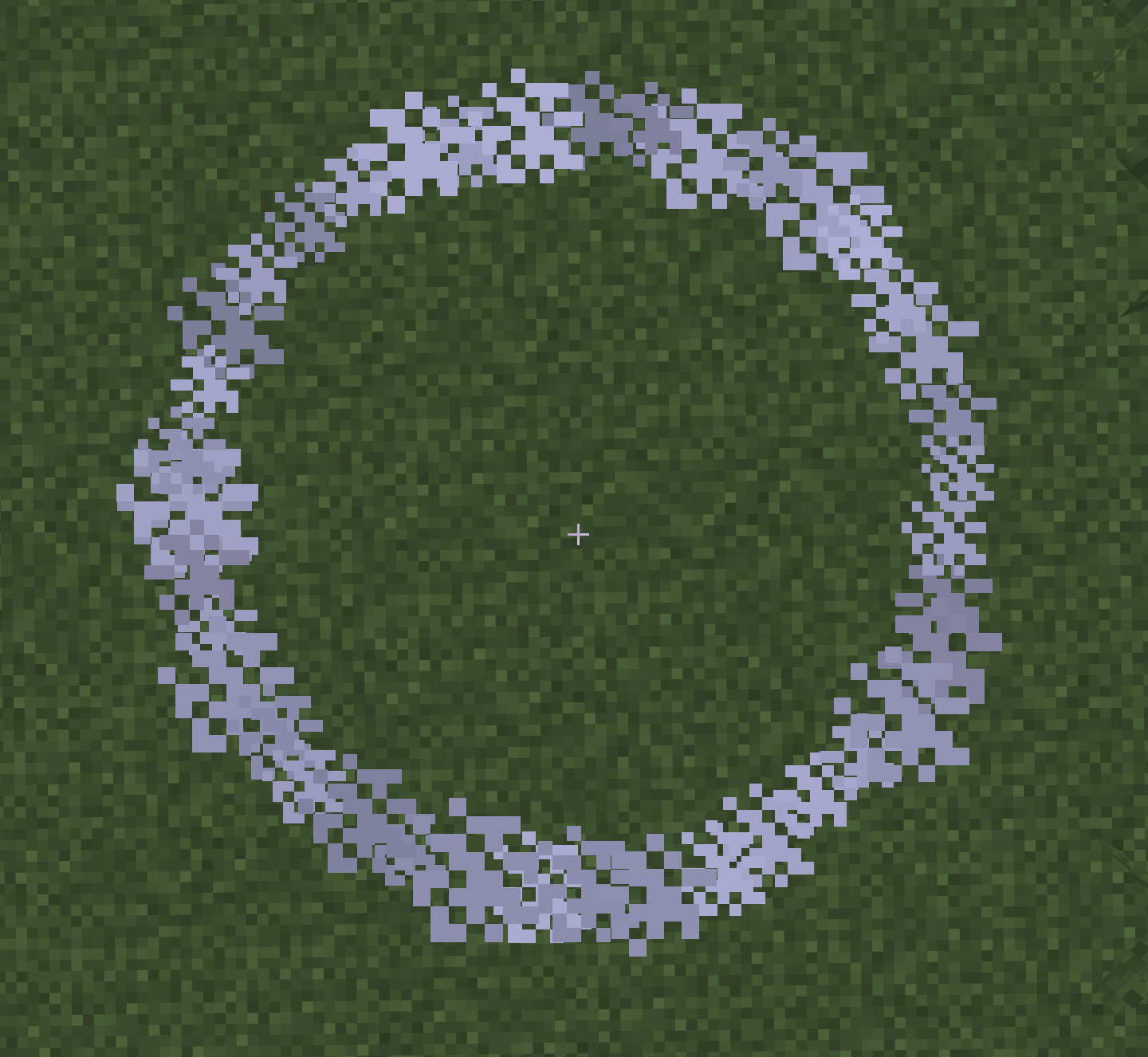
A horizontal circle with a radius of 2 blocks.
functions:
  circle_x: 'f(d) = 2 * cos(d * 6.283)' #(1)!
  circle_z: 'f(d) = 2 * sin(d * 6.283)'

particles:
  circle_effect:
    type: CLOUD
    animation:
      sampling:
        primary: 40 #(2)!
    shape:
      x: circle_x
      z: circle_z
      extra: 0
- 6.283: This corresponds to \(2\pi\). Since
druns from 0 to 1, the function covers a full circle (360°). - primary: More points result in a smoother circle.
Spiral🔗
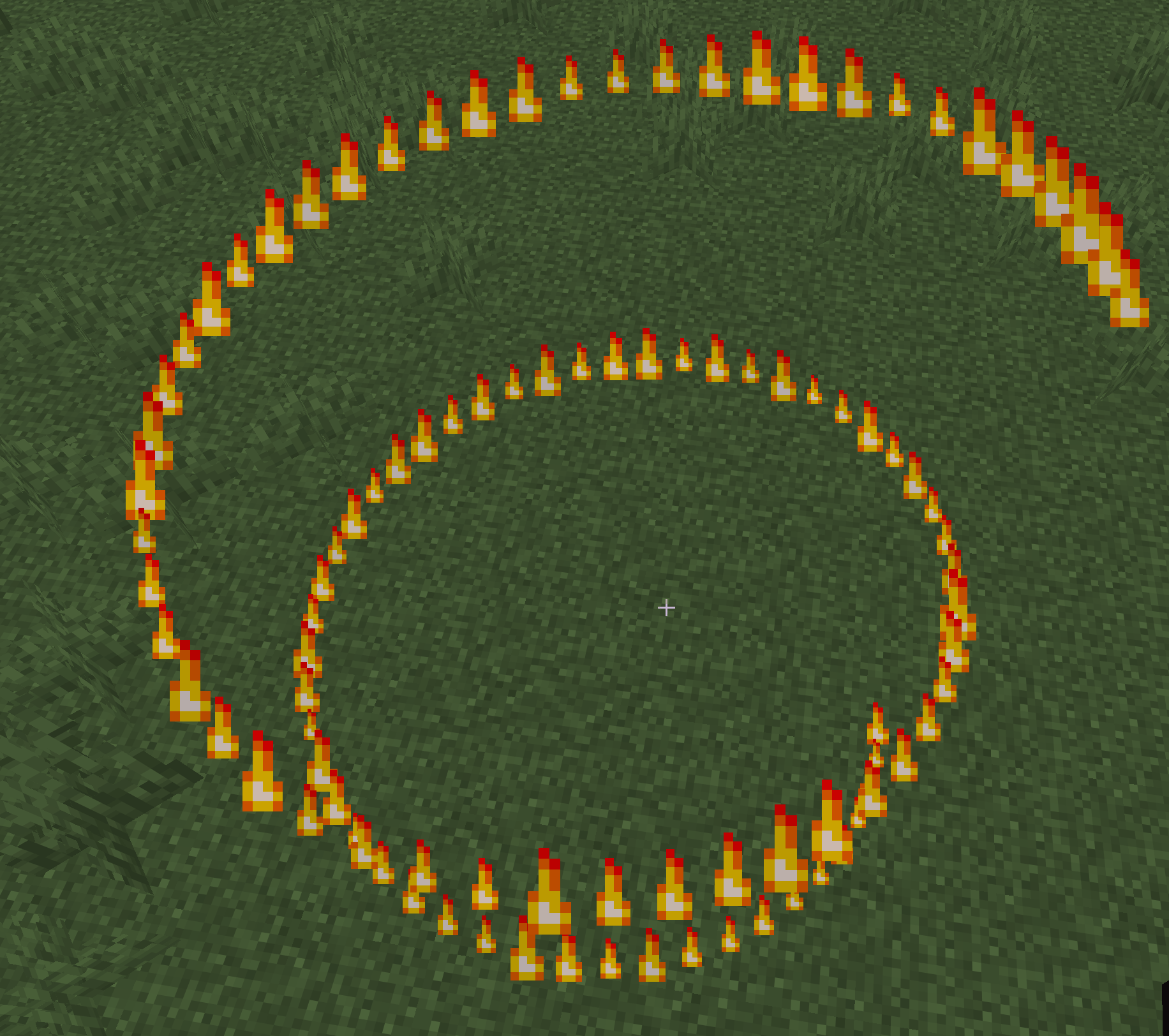
A spiral that screws itself upwards.
functions:
  spiral_x: 'f(d) = 2 * cos(d * 12.566)' #(1)!
  spiral_z: 'f(d) = 2 * sin(d * 12.566)'
  spiral_y: 'f(d) = d * 4' #(2)!

particles:
  spiral_effect:
    type: FLAME
    animation:
      sampling:
        primary: 100
    shape:
      x: spiral_x
      y: spiral_y
      z: spiral_z
      extra: 0
- 12.566: This is \(4\pi\), which corresponds to two full rotations.
- spiral_y: While the particles rotate, they rise steadily to a height of 4 blocks.
Advanced Animations🔗
Pulsing Ring (Secondary Sampling)🔗
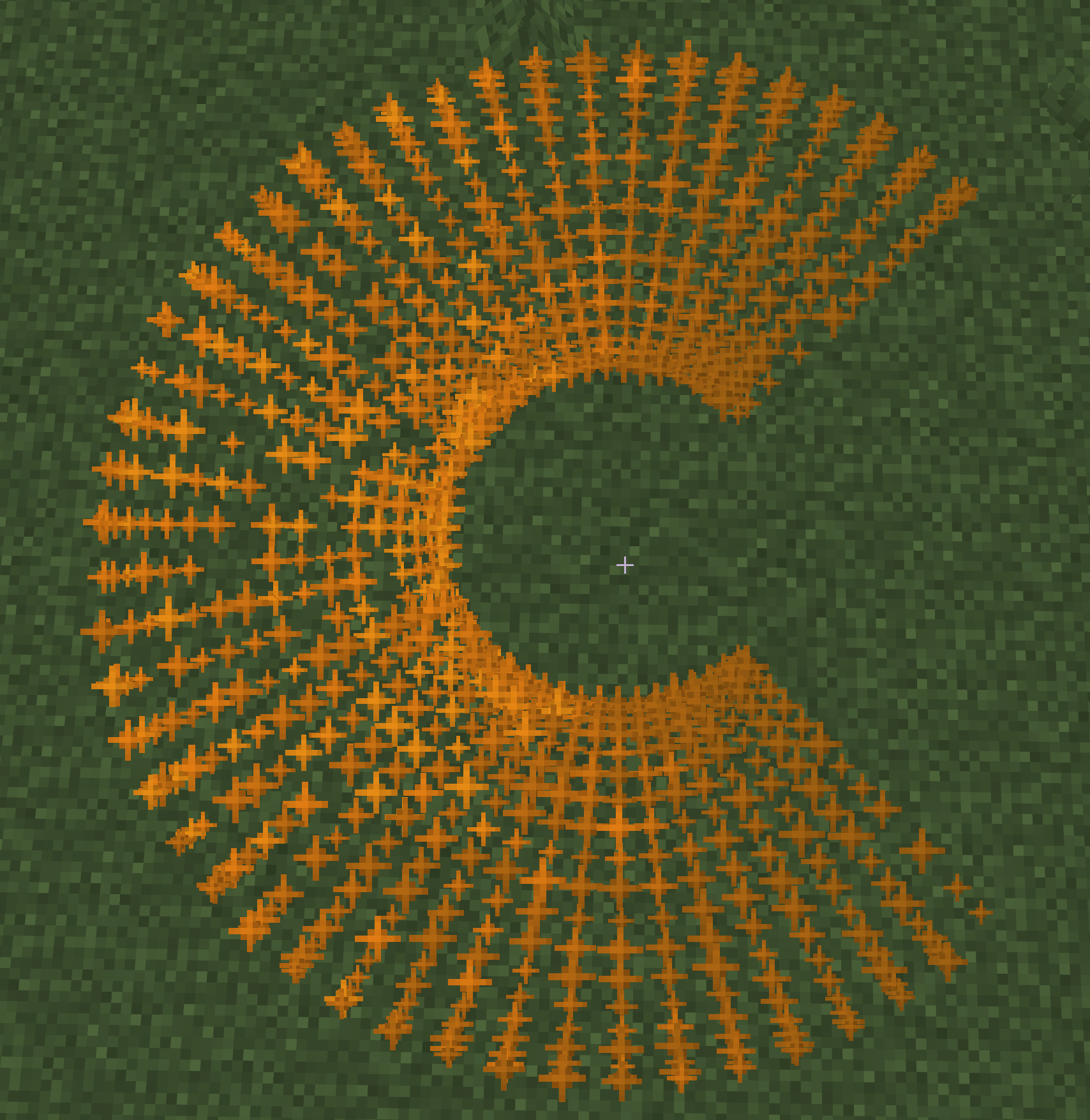
Here we use secondary to create a ring that expands and contracts several times.
functions:
  ring_x: 'f(d1, d2) = 2 * (1 + 0.5 * sin(d2 * 6.283)) * cos(d1 * 6.283)' #(1)!
  ring_z: 'f(d1, d2) = 2 * (1 + 0.5 * sin(d2 * 6.283)) * sin(d1 * 6.283)'

particles:
  pulsing_ring:
    type: WAX_ON
    animation:
      thread: true
      duration: 2
      order: INWARD
      sampling:
        primary: 60
        secondary: 20
    shape:
      x: ring_x
      z: ring_z
      extra: 0
- d2: In this example, we use
d2to modulate the radius of the circle over time. As the animation jumps from point to point (d1), each point additionally runs through thed2cycle.
As this animation has a duration, this is only a snapshot of a single state during the animation.